No products in the cart.
Return To Shop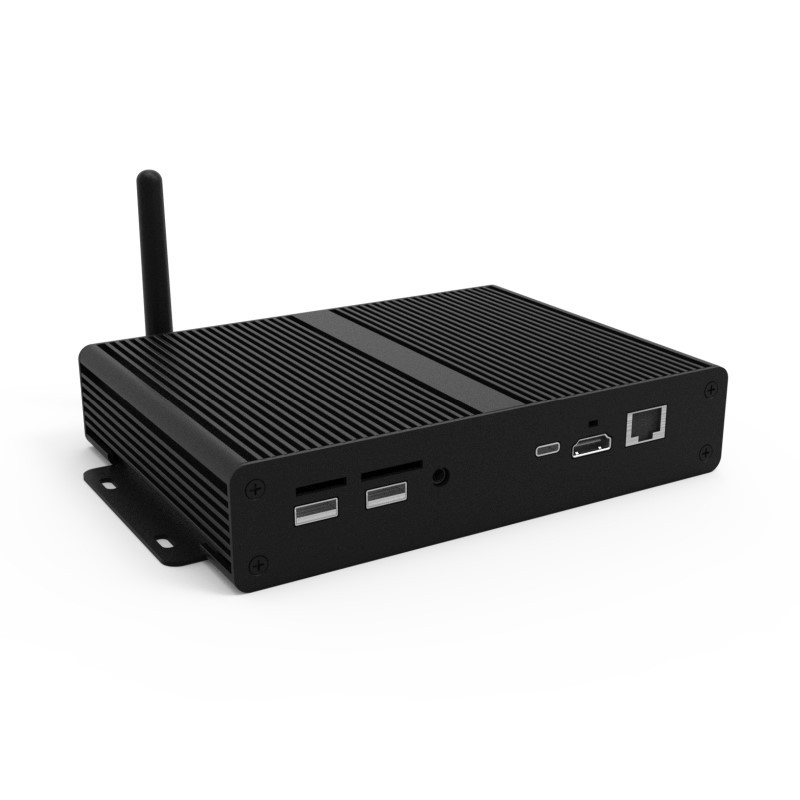
4K Android Cloud Network Media Player
£390.00 ex VAT
3 people are viewing this product right now
🔥 2 items sold in last 48 hours
Transform Existing 4K Displays
If you already have a 4K screen but would like to convert it into a networked digital signage display, these media players provide a cost-effective and hassle-free solution. The Media Players can also be used with Video Walls to display content larger than HD resolution. Their integrated Android PC board provides a super-fast possessing speed allowing for improved communication with the CMS. This means that you can update your screens quicker than ever before. It also allows you to display a live website; this can be anything from a live URL feed provided by a third party to your social media profile. The Android network media player also allows you to run your own software should you already have a CMS solution.
Please Contact Us for quantity/trade discounts.
We offer trade accounts with discounted pricing for Education, Local Authorities and Registered Charities as well as Trade Customers.Transform existing screens into 4K networked digital signage displays
Content can be uploaded and managed from anywhere in the world via our web portal. Simply login, upload your images and videos to our secure server and send them directly to your screens.
Create Custom Layouts
This allows you to deliver targeted content and display your images, videos, webpages, time, and date exactly how you want to, you can even add scrolling messages. Add your logo to your content and use your corporate colours in the template design to maintain brand consistency.
Schedule Playlists
You can determine exactly what content is displayed and when. Create playlists that will automatically display your desired content at pre-determined times and dates. Whatever your scheduling requirements, our system can support them.
Remote Screen Functions
You can control most of your screen’s functions via the CMS, such as playing and stopping content as well as volume control and scheduling on/off times, a truly centralised solution.
Manage Your Users
You may wish to limit some functions or zones to specific users. For example, you may wish to allow a receptionist to have access to the screen in the reception area but nothing else – our system allows full user rights control.
Review Your Playback Logs
Records are kept from all screen and user activity so as you can monitor the usage and effectiveness of your content.
Connectivity
Connecting the Cloud Network Media Player to your screen via HDMI and 3.5mm audio jack allows you to update your screen either wirelessly (via a Wi-Fi network) or via a Local Area Network (LAN) connection; both options are available with this media player.
Plug and Play Backup
If you lose your internet connection, you can still update the media player using a USB stick to keep things simple.
| Dimensions | 19.7 × 12.9 × 3.1 cm |
|---|